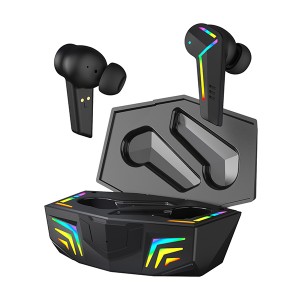
Cov neeg feem ntau yuav ntshai thaum lawv yuav lub mloog pob ntseg tshiab, tshwj xeeb yog tias nws kim heev. Feem ntau, qhov teeb meem loj tshaj plaws uas lawv muaj yog qhov them lub roj teeb. Lawv feem ntau muaj cov lus nug txog seb lawv yuav tsum them lub roj teeb ntev npaum li cas, lossis yuav ua li cas thiaj paub tias nws them tag, lawv yuav tsum them pes tsawg zaus, thiab lwm yam. Koj muaj hmoo vim tias yog koj yog ib tug ntawm lawv,Wellyp as TWS earbuds chaw tsim khoommuaj txhua yam uas yuav tsum paub txog kev them lub mloog pob ntseg, thiab hnub no peb tab tom tham txog pes tsawg zaus koj lub mloog pob ntseg them.
Cov lus teb luv luv yog koj yuav tsum tau them ntau zaus li qhov xav tau. Nyob ntawm lub roj teeb, cov pob ntseg tuaj yeem siv tau 1.5 txog 3 teev tom qab ntawd koj muab lawv rov qab rau hauv lub thawv. Lub thawv tuaj yeem siv tau txog 24 teev tom qab ntawd koj yuav tsum ntsaws nws rau hauv. Yog li, koj yuav tsum tau them koj cov pob ntseg tsawg kawg ib zaug txhua 24 teev.
Qhov nruab nrab,Lub mloog pob ntseg BluetoothLub neej siv tau li ntawm 1-2 xyoos yog tias siv nruab nrab mus rau hnyav. Yog tias koj ua tib zoo saib xyuas koj cov pob ntseg, koj tuaj yeem cia siab tias lawv yuav siv tau 2-3 xyoos yog tias siv tau zoo.
Muaj qee txoj hauv kev uas koj siv tau koj lub mloog pob ntseg wireless thiab koj yuav ua rau lub roj teeb siv tsis tau ntev yam tsis paub. Ib txoj hauv kev yog siv roj teeb kom tag ua ntej them.
Feem ntau, qhov loj ntawm lub roj teeb yog qhov txiav txim siab tias lub mloog pob ntseg TWS bluetooth kav ntev npaum li cas. Qhov loj dua ntawm lub roj teeb, nws kav ntev npaum li cas. Lub mloog pob ntseg Bluetooth me me, yog li ua rau lawv lub sijhawm ua si tsis sib piv rau lub mloog pob ntseg Bluetooth.
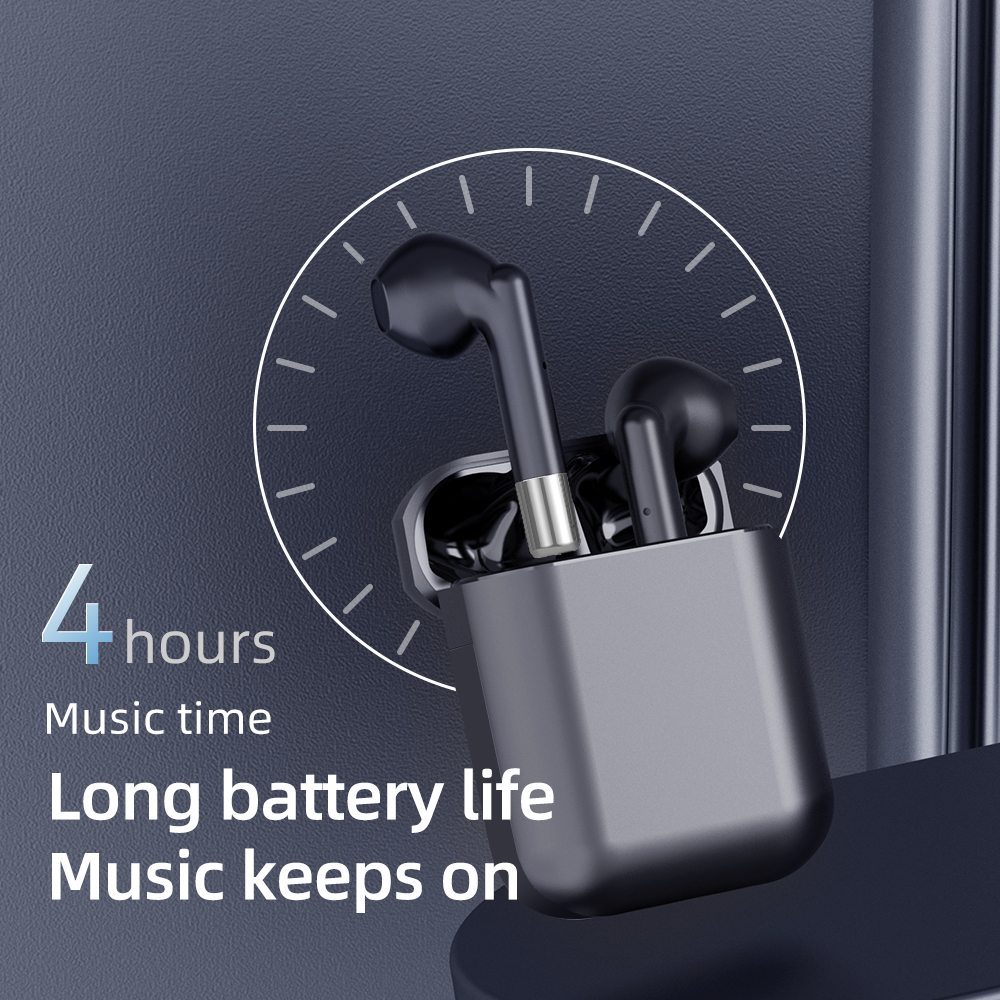
Cov roj teeb Lithium-ion tsis tuaj yeem them ntau dhau, tab sis lawv muaj lub sijhawm them tsawg kom txog thaum lub roj teeb pib puas tsuaj & yuav tsum tau hloov. Feem ntau nws muaj li ntawm 300-500 lub voj voog them. Thaum koj lub mloog pob ntseg ntaus qis dua 20% ntawm qhov them, qhov ntawd yog ib lub voj voog them poob, yog li ntawd koj cia koj lub mloog pob ntseg wireless poob qis dua 20% ntau npaum li cas, lub roj teeb yuav poob sai dua. Lub roj teeb yuav poob qis ntuj raws sijhawm uas zoo tag nrho; txawm li cas los xij, los ntawm kev them nws txhua zaus ua ntej nws ntaus qis dua 20% them, koj ua rau lub roj teeb ntawm koj lub mloog pob ntseg wireless ntev dua. Yog li tso koj lub mloog pob ntseg wireless rau hauv lub thawv thaum tsis siv yog qhov zoo dua rau koj lub roj teeb ntawm koj lub mloog pob ntseg.
Yog li ntawd, Pls xyuas peb cov lus qhia raws li hauv qab no:
Them Nyiaj Thawj Zaug
Thawj qhov kev them nqi yog theem tseem ceeb tshaj plaws. Peb txhua tus muaj feem yuav qhib lub mloog pob ntseg thiab xyuas seb lub suab zoo li cas thiab lwm yam ntxwv tam sim ntawd tom qab tau txais cov khoom.
Tiam sis feem ntau cov hom lag luam zoo li Philips, Sony, thiab lwm yam, qhia kom them lawv lub cuab yeej ua ntej siv thawj zaug. Qhov no ua kom lub roj teeb siv tau ntev tshaj plaws thiab muaj ntau lub voj voog them.
Txawm hais tias koj lub mloog pob ntseg wireless muaj qee qhov them, peb xav kom koj them koj lub thawv thiab lub mloog pob ntseg tsawg kawg 2-3 teev, nyob ntawm tus qauv. Thaum nws them tag, tua lub zog, thiab koj tuaj yeem txuas lub mloog pob ntseg nrog lub xov tooj ntawm tes thiab txaus siab rau koj cov suab paj nruag lossis cov yeeb yaj kiab.
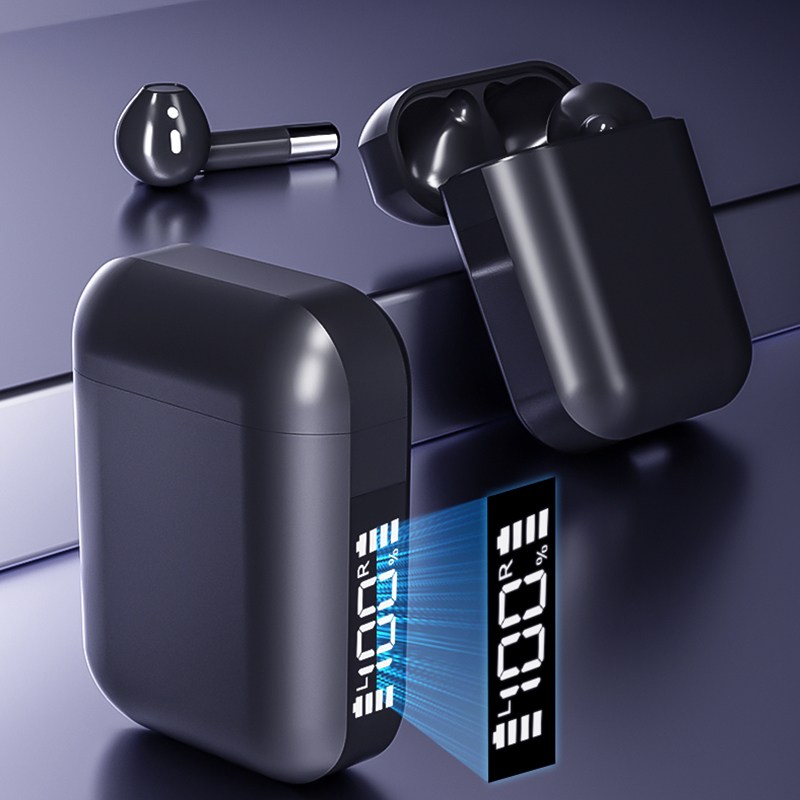
Cov teeb pom kev zoo lossis lub teeb qhia qhia koj qhov xwm txheej ntawm kev them. Koj tuaj yeem siv thawj lub rooj them kom nkag siab lub sijhawm them, thiab nws kuj tseem siv tau rau Bluetooth earbuds thiab earphones nrog cov lus qhia zoo sib xws.
Kev Them Nqi Ib Txwm
Txij thaum rov them zaum ob, koj tuaj yeem them koj lub thawv nrog lossis tsis muaj pob ntseg hauv. Thaum muab cov pob ntseg wireless tso rau hauv lub hnab, xyuas kom tseeb tias cov pob ntseg sab laug khaws cia rau hauv qhov cim "L" thiab cov pob ntseg sab xis nyob rau hauv qhov "R".
Tsis tas li ntawd, xyuas kom meej tias tau sib cuag zoo ntawm cov hlau pins hauv lub thawv thiab qhov hlau ntawm lub pob ntseg wireless. Tab sis cov thev naus laus zis sib nqus tshiab kawg kho cov pob ntseg wireless hauv qhov chaw ntawm nws tus kheej.
Feem ntau ntawm cov pob ntseg kuj muaj lub teeb uas ua rau hauv pob ntseg los qhia seb nws puas them lossis them tag. Yog tias lub teeb ntsais ntsais - nws tab tom them, yog tias lub teeb ci ntsais - nws tau them tag, thiab tsis muaj lub teeb qhia tias lub roj teeb tas lawm.
Thaum lub roj teeb puv lawm, tshem lub charger kom ruaj thiab ncaj; txwv tsis pub, nws yuav ua rau lub qhov chaw them thiab USB puas.
Yuav Ua Li Cas Kom Koj Lub Pob Ntseg Nyob Ntev Dua
Txawm lawv lub roj teeb thiab lub neej ntev npaum li cas los xij, nws yog ib qho tseem ceeb uas koj ua cov kauj ruam kom koj cov pob ntseg siv tau ntev dua.
1-Nqa Koj Lub Hnab:Qhov no tseem ceeb heev vim nws raug pom zoo kom koj tsis txhob cia lub roj teeb tas tag, thiab tseem - koj tsis xav kom koj lub mloog pob ntseg tas tag.
Khaws koj lub mloog pob ntseg wireless rau hauv lub thawv yuav ua tau zoo dua li ua rau puas tsuaj. Ua ntej, yuav luag txhua lub mloog pob ntseg wireless yuav tsum tsis txhob them thaum lawv them tau 100% thiab muaj qhov trickle feature uas ua rau qeeb qeeb ntawm 80% mus rau 100% kom txo qhov ua rau lub roj teeb kub dhau. Yog li ntawd, tsis tas yuav txhawj tias koj yuav them ntau dhau rau koj lub mloog pob ntseg vim tias kev them yuav nres kiag thaum nws puv.
2-Tsim Ib Txoj Kev Ua Neej: Sim tsim ib txoj kev ua neej ib txwm them koj lub pob ntseg True Wireless kom koj tsis txhob hnov qab thiab cia lawv siv roj teeb tag. Txoj hauv kev zoo tshaj plaws los tsim ib txoj kev ua neej ib txwm yog them lawv thaum koj tsis siv lawv: thaum pw tsaug zog, hauv lub tsheb, lossis ua haujlwm, muab lawv tso rau hauv lawv lub thawv kom them (qhov no kuj ua rau lawv muaj kev nyab xeeb!)
3-Ntxuav Cov Pob Ntseg:Siv daim ntaub qhuav uas tsis muaj plaub los so koj lub pob ntseg thiab lub thawv kom huv si (koj kuj siv tau me ntsis cawv los so daim ntaub kom tsis muaj kab mob 100%). Yuav tsum ntxuav lub microphone thiab lub speaker mesh kom huv si nrog ib daim paj rwb qhuav los yog ib daim txhuam hniav mos mos. Tej zaum yuav muaj kev nkag siab zoo, tiam sis feem ntau tsis quav ntsej txog kev ntxuav yooj yim.
4-Tiv thaiv lawv ntawm txhua hom kua: Yog tias muab lawv tso rau hauv dej, nws yuav ua rau lawv puas tsuaj loj heev rau lub sijhawm ntev. Txawm hais tias qee lub mloog pob ntseg ua los ntawm cov khoom tiv taus dej, nws tsis tau txhais hais tias lawv tiv taus dej. Tam sim no tsis muaj cov mloog pob ntseg wireless zoo li ntawd hauv khw, tab sis cia siab tias lawv yuav tawm sai sai. Txog thaum ntawd txoj cai tsis yog xim dej.
5-Tsis txhob nqa lawv hauv koj lub hnab ris: Lub thawv tsis yog tsuas yog muaj rau them xwb. Cov hmoov av thiab cov khoom xws li cov yuam sij uas koj khaws cia rau hauv koj lub hnab ris tuaj yeem ua rau lub pob ntseg puas tsuaj loj heev, ua rau lawv lub neej luv dua. Khaws cia rau hauv lawv lub thawv thiab khaws ob qho tib si kom deb ntawm cov kua txhua lub sijhawm.
6-Tsis txhob pw tsaug zog nrog koj lub mloog pob ntseg:Yog li ntawd, yuav ua rau muaj kev phom sij loj heev! Hloov chaw, muab tso rau hauv lub thawv kom khaws cia kom zoo ze ntawm koj lub txaj. Nco ntsoov muab koj lub mloog pob ntseg wireless "ua si" ib zaug ib ntus: tsis txhob cia lawv tsis siv rau ntau lub lis piam thiab ntau lub hlis, es muab lawv siv. Tsuas yog xyuas kom koj khaws lub suab nrov kom txaus thiab ib txwm khaws lawv them hauv lub thawv. Ua li no koj yuav tsis poob siab ib hnub tom qab pom tias lub roj teeb tag, yog li koj yuav tsis tuaj yeem muaj kev nrog koj nyiam jogging lossis kev tawm dag zog hauv chav kawm spin.
Txawm li cas los xij, ib tug yuav tsum tsis txhob hnov qab tias yog xav kom lub cuab yeej no siv tau ntev, yuav tsum muaj qee yam uas yuav tsum tau ua, xws li them roj teeb, ntxuav, lossis khaws cia. Saib xyuas lawv kom zoo thiab koj yuav muaj peev xwm txaus siab rau ntau lub lis piam, ntau lub hlis, thiab txawm tias ntau xyoo ntawm kev mloog zoo.
Yog koj muaj lus nug ntxiv, thov xa lawv mus rau peb tus email:sales2@wellyp.com los yog mus saib peb lub vas sab hauv internet:www.wellypaudio.com.
Peb muaj peev xwm muab kev pabcuam OEM/ODM rau peb cov khoom. Cov khoom tuaj yeem hloov kho raws li koj xav tau, suav nrog lub hom, daim ntawv lo, xim, thiab lub thawv ntim khoom. Thov muab koj cov ntaub ntawv tsim qauv lossis qhia rau peb koj lub tswv yim thiab peb pab neeg R&D yuav ua tas li.
Yog koj ua lag luam, tej zaum koj yuav nyiam:
Pom zoo nyeem ntawv
Hom Pob Ntseg & Cov Pob Ntseg
Lub sijhawm tshaj tawm: Lub Ob Hlis-17-2022